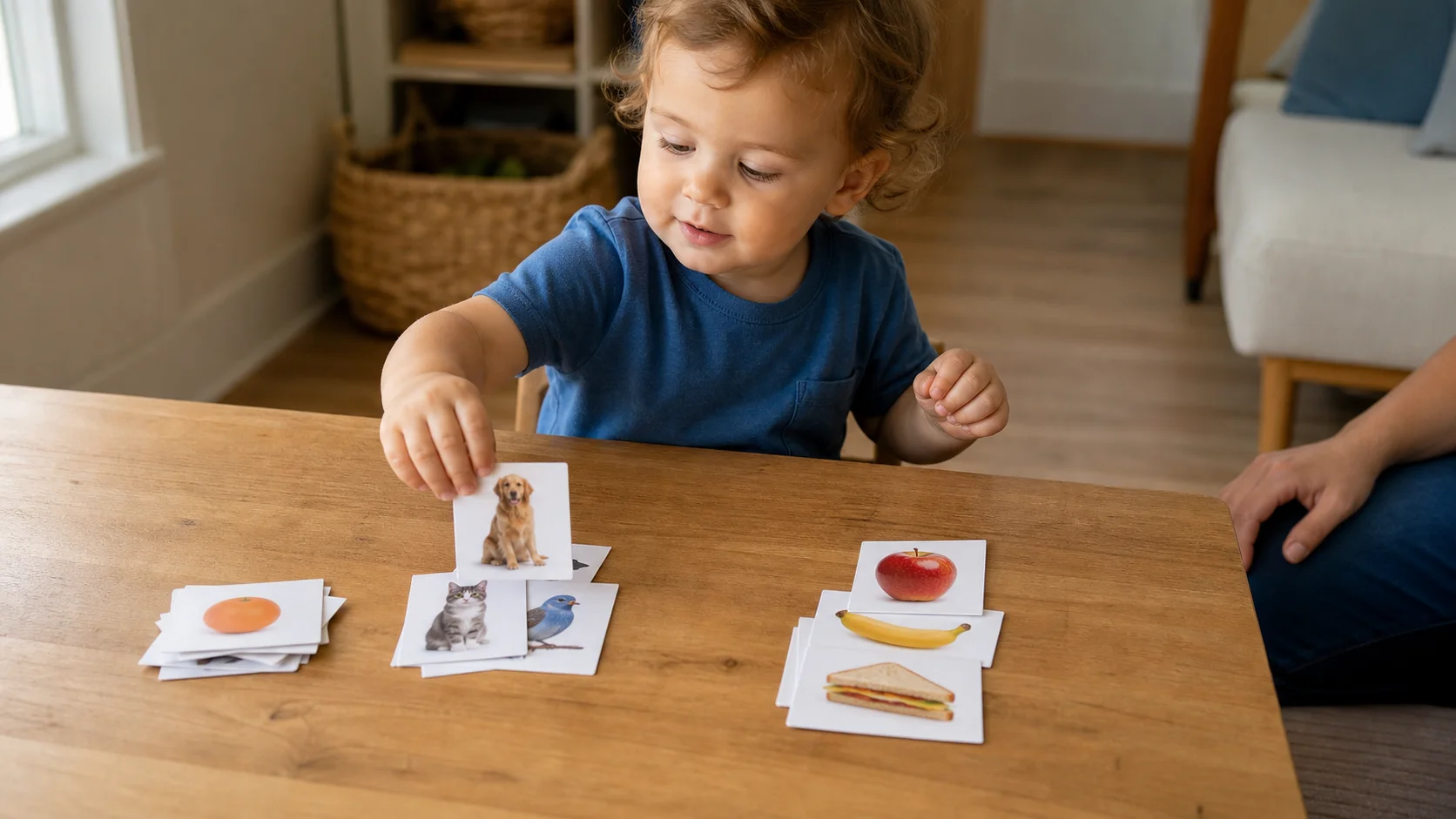
A toddler at a low table placing a picture card into one of two visible category groups while a grown-up sits nearby.
ThinkingAutism supportBy TypeIndoor

Picture Category Sort.

Can your child spot what belongs together? Set out two picture categories and let them sort each card into its matching group, building category recognition and visual thinking one picture at a time.

Play time
5-10+ min
Age
1-3 years
Energy
Low
Mess
No
Effort
Low
Where
Indoor
Start here

The recipe.

Low parent effort
2 things

What you need

  • picture cards to sort
  • 2 visible category groups, boards, or sorting spaces
5 min minimum

Setup

Then start the loop
Step 01
Place two category boards or sorting spaces side by side, each showing a different category.
Step 02
Choose a small stack of picture cards that belong to those two categories and place it beside the sorting spaces.
"This one belongs."
The loop

How play unfolds.

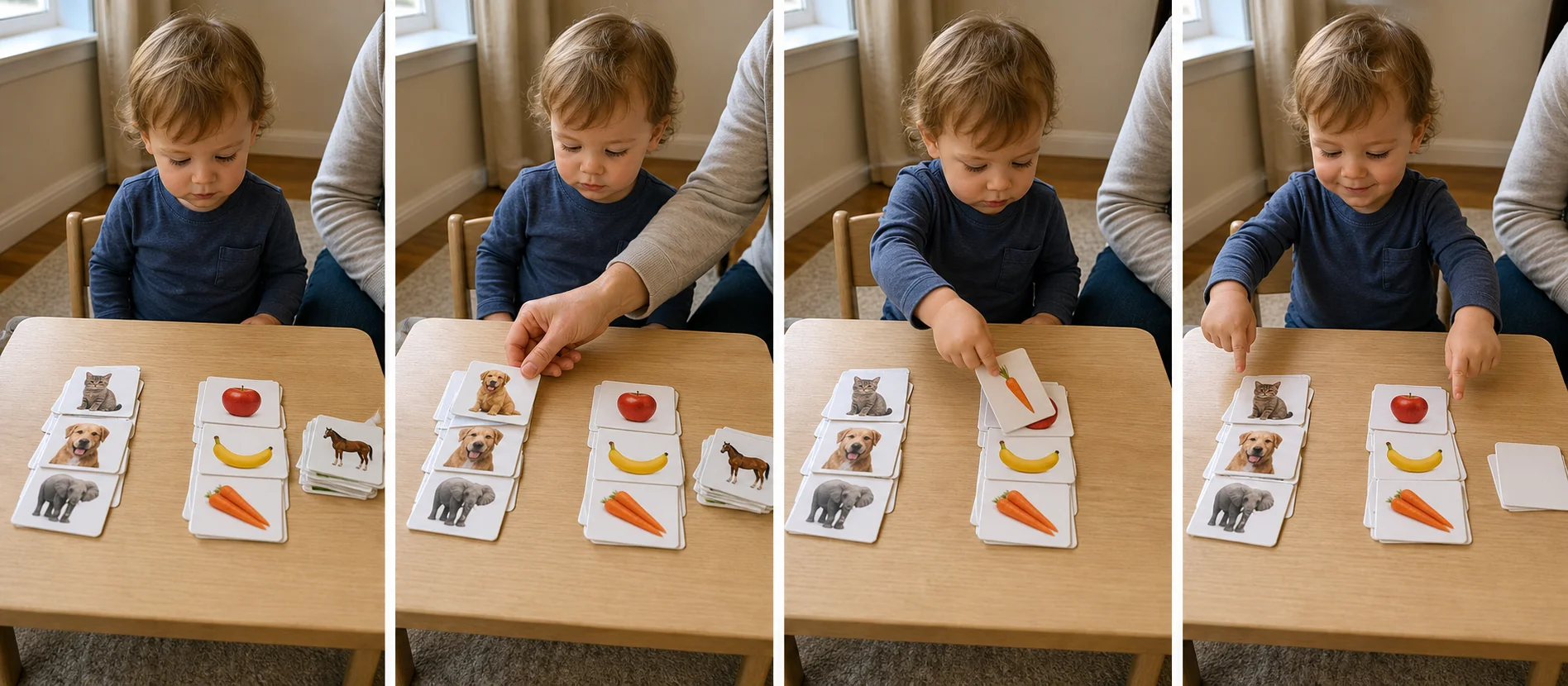
Four panels showing two picture groups set out on a table, a grown-up modeling one sort, a child placing a picture into the matching group, and the finished sorted cards in two small piles.
  1. 01
    Sort one picture card into its category to show how it works.
  2. 02
    Have your child pick up the next card, compare the two groups, and place it where it belongs.
  3. 03
    Repeat until the stack is sorted.

Safety Check

  • Stay close if your child still mouths paper cards, laminated pieces, or small backing materials.
  • Stop and simplify if too many visible cards start to feel busy or frustrating.
Skill spotlight
By Type

Sorting pictures by type

This helps a child notice what belongs together, hold 1 simple category rule in mind, and complete a short visual job from start to finish.

  • Sorting 1 card at a time helps your child notice what belongs together without holding too many choices at once.
  • The repeatable layout supports visual matching, simple category learning, and short-task follow-through.
  • The small stack gives your child a clear finish, which can make calm table work easier to enter and easier to stop.
Real-world transfer
  • Grouping similar objects during cleanup or simple learning routines.
  • Noticing how pictures and objects belong together.
  • Staying with a short visual task until the set is done.
Supporting the play

What to say in the moment

Match what you say to what you see.

Prompt ladder
Level 1 (Start)
"Put it where it goes."
Level 2 (Keep going)
"Find the next match."
Level 3 (Stretch)
"Which group fits this one?"
Level 4 (Extend)
"Let's finish the whole stack."
If your child seems...
What you'd see
Focused
What to do
Say
"You found the right group."
Add
Name 1 category after the card lands.
Extend
Pause for a second before pointing so your child scans first.

Make it easier

Younger end
  • -Show only 1 picture card at a time.
  • -Keep the category groups close together.
  • -Use a very small starter stack.

Make it harder

Older end
  • +Wait longer before giving a point or cue.
  • +Let your child pull the next card from the stack alone.
  • +Use a slightly larger stack while keeping the same 2 category groups.

If it's not working

If you see
If child ignores it
Do 1 quick model sort, slide the next card toward your child, and keep the same short start words.
If you see
If child misuses it
Leave only 1 card out at a time and point back to the 2 visible groups before the next placement.
If you see
If child gets frustrated
Use a smaller stack, help hover the card over the right group, and count 1 successful sort as enough before trying more.